Install
Linux [Ubuntu]:
Install JAVA
To install java 8 from openjdk
$ sudo apt-get install openjdk-8-jdk
Open /etc/profile
$ vim /etc/profile
Add:
export JAVA_HOME=“/usr/lib/jvm/java-8-openjdk-amd64”
export PATH=$JAVA_HOME/bin:$PATH
To apply the changes
$ source /etc/profile
To check if it is properly setup
$ $JAVA_HOME
Install Mongodb
For more information : https://docs.mongodb.com/manual/tutorial/install-mongodb-on-ubuntu/
Import the public key used by the package management system
wget -qO - https://www.mongodb.org/static/pgp/server-4.2.asc | sudo apt-key add -
Create a list file for MongoDB
echo "deb [ arch=amd64,arm64 ] https://repo.mongodb.org/apt/ubuntu xenial/mongodb-org/4.2 multiverse" | sudo tee /etc/apt/sources.list.d/mongodb-org-4.2.list
Reload local package database
sudo apt-get update
Install the MongoDB packages
sudo apt-get install -y mongodb-org
Start MongoDB
sudo systemctl start mongod
Verify that MongoDB has started successfully
sudo systemctl status mongod
Install tomcat 8.5
For testing:
Download apchae tomcat 8.5
wget http://apache.mirror.cdnetworks.com/tomcat/tomcat-8/v8.5.55/bin/apache-tomcat-8.5.55.tar.gz
download epcis war file
wget https://github.com/JaewookByun/epcis/raw/master/epcis.war
extract apache tomcat
tar -xzvf apache-tomcat-8.5.55.tar.gz
move epcis war file to apache webapp folder:
mv epcis.war apache-tomcat-8.5.55/webapps/
Start EPCIS
./apache-tomcat-8.5.55/bin/catalina.sh start
Open EPCIS Dashboard:
open http://localhost:8080/epcis/
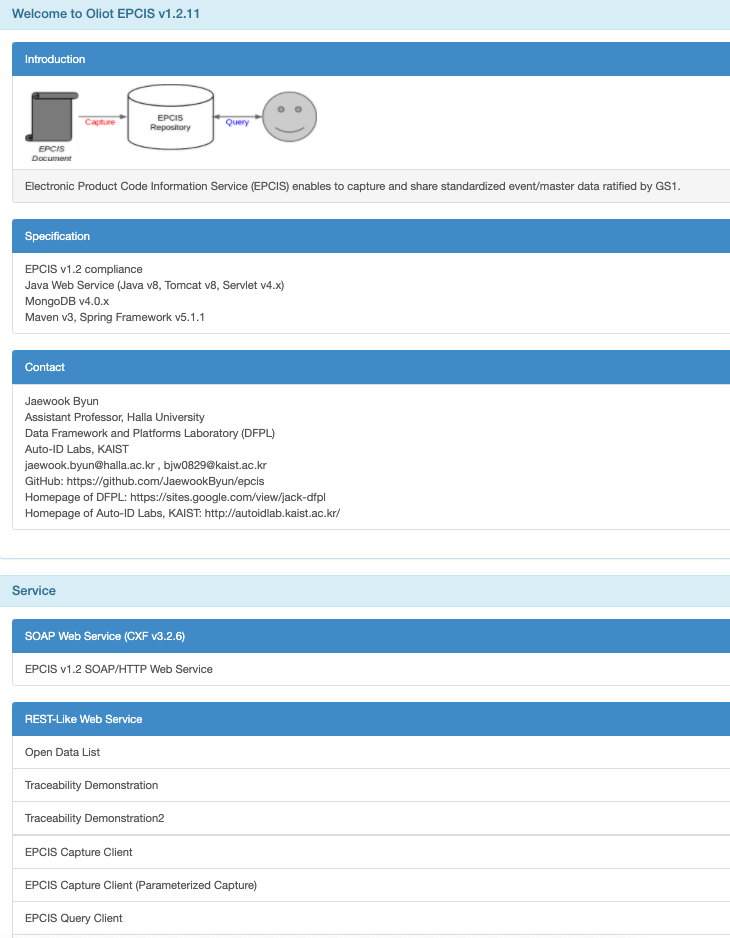
For Production:
Use the following link to install apache tomcat : https://www.digitalocean.com/community/tutorials/how-to-install-apache-tomcat-8-on-ubuntu-16-04